Apple Watch app
STAmina Apnea Coach is the Apple Watch app of STAmina. It runs the tables you set up in the phone app directly on your watch, and syncs your history and heart-rate data back to the phone.
Requirements #
- Apple Watch Series 3 or later, with watchOS 8 or later
- The STAmina app on your iPhone, signed in to a STAmina account (pairing links the watch to your account)
Install the watch app #
Get STAmina Apnea Coach on the App Store, or open the App Store on your watch and search for “STAmina”. Apple explains how to download apps on Apple Watch.
Pair the watch with the phone app #
-
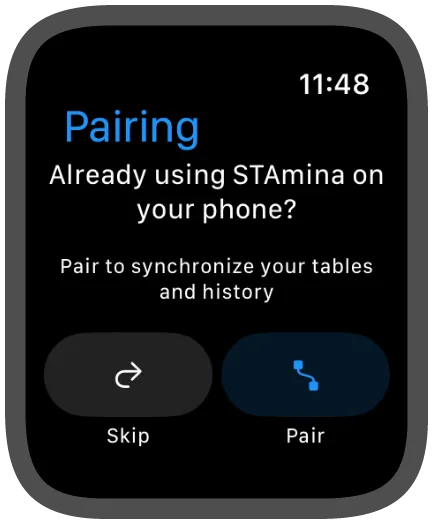
Open STAmina Apnea Coach on your watch. On first launch you’ll see the pairing screen: tap Pair.
-
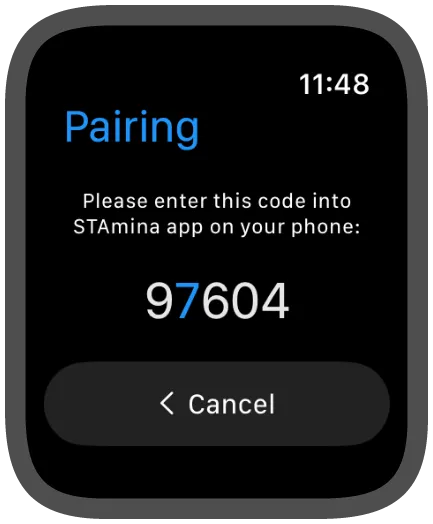
The watch shows a five-digit code.
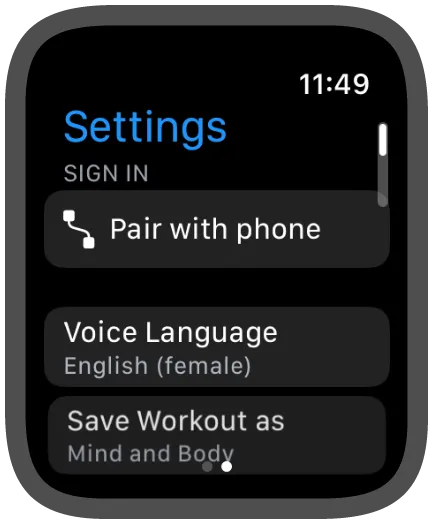
If you see a list of tables instead of the pairing screen, swipe left and tap Pair with phone on the settings screen.
-
On your phone, open STAmina and go to Settings → Devices → Add a new device → Smart watch.
-
Choose I want to run STAmina on my watch and enter the code from the watch.
Your tables now sync to the watch, and each completed session, with its heart-rate data, is synced back to the phone app.
Heart rate and SpO₂ #
During a session the watch measures your heart rate. Apple Watch doesn’t provide oxygen saturation (SpO₂) in real time: see why there’s no real-time SpO₂ from watches. Syncing Apple Watch heart-rate and SpO₂ data (through Apple Health) into your history charts is part of STAmina PRO.